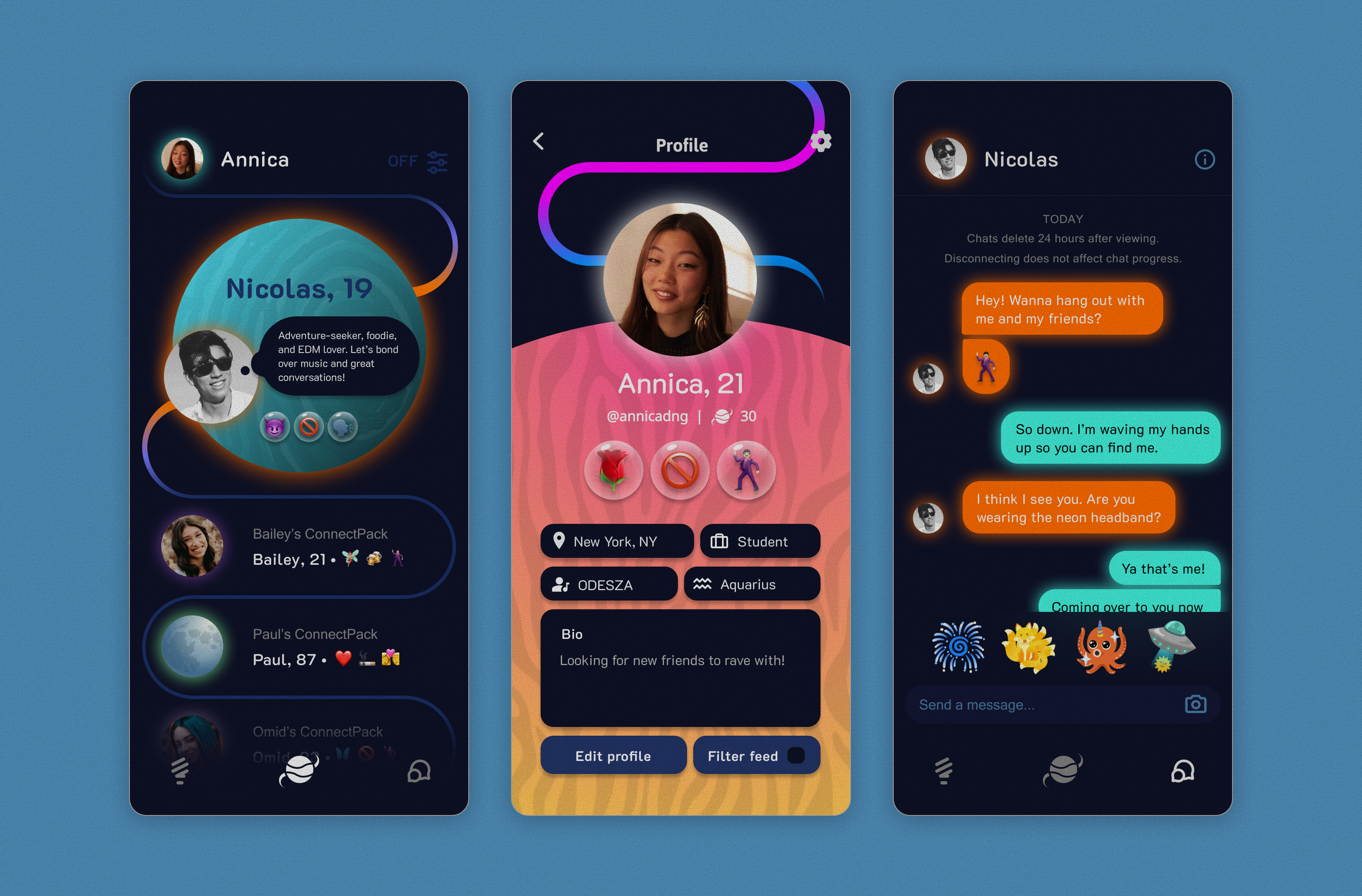
Music festival attendees crave connection with other attendees, and one way they get it is by downloading music festival apps that allow them to connect with others. However, these apps demand continuous engagement, which detracts from the physical experience of being at the festival itself. How can we create a music festival app that supports connection while minimizing time spent on the device?
ConnectPack App
A social networking app to be used at EDM musical festival settings. ConnectPack is a 2-part project featuring the ConnectPack app, a mobile application, and the ConnectPack, an LED light fanny pack, designed for EDM lovers who want to connect with others at rave festivals. This section highlights the ConnectPack App.
Problem
Timeline
March - August 2024
I designed a mobile prototype from scratch for my NYU Critical Experiences class and further developed it on my own time.
Role
UI Design
Outcome
Team
1 designer
Music festival apps detract from the physical experience of being at the festival.
Music festival attendees who want connections use these apps that demand continuous engagement. Instead of enhancing real-world experiences, these products compete for attention, reducing presence and authenticity during social moments.
UX audits revealed digital engagement features
According to UX audits I conducted on 4 EDM musical festival apps that feature connection, I found that all include additional features that require continuous engagement, such as group forums, posting, commenting, and liking. These features, while they add to the digital connection experience, subtract from equivalent in-person experiences that foster real human emotion and interaction.
Users will always crave connection.
Eliminating these apps is not possible, and even if it were, music festival-goers will always crave connection, regardless of its form. Modifying current solutions is feasible. Enabling digital connection while also promoting in-person engagement is one way to do it.
The solution: a connection app that promotes in-person engagement
Say goodbye to posts, likes, comments, and forums. With the ConnectPack app, digital connection remains possible, but engagement must be done in person. The app works with the Bluetooth fanny pack, where users can connect to nearby fanny packs (users) by tapping on a nearby profile and messaging them to meet in person.
2 user flows with minimal features
Users can set up a connection through 2 user flows: setting up their profile, then messaging a connected user. Profile information is limited to a user’s name, age, star sign, occupation, city, favorite artist, and basic interests communicated through a 100ch. bio and 3 emoji emblems. Once a user connects to another user, their messaging time is limited.
Wireframing & iterating from scratch
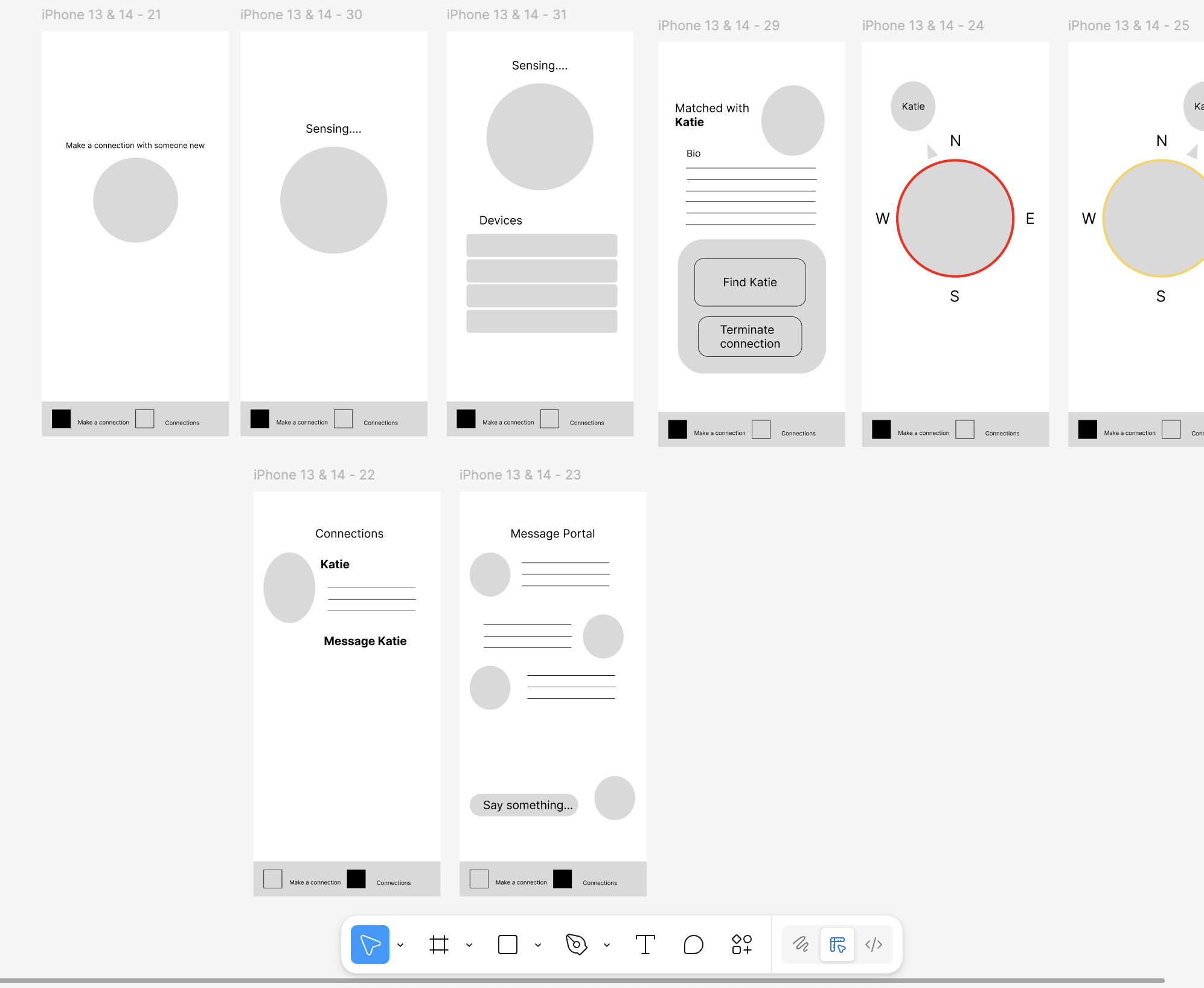
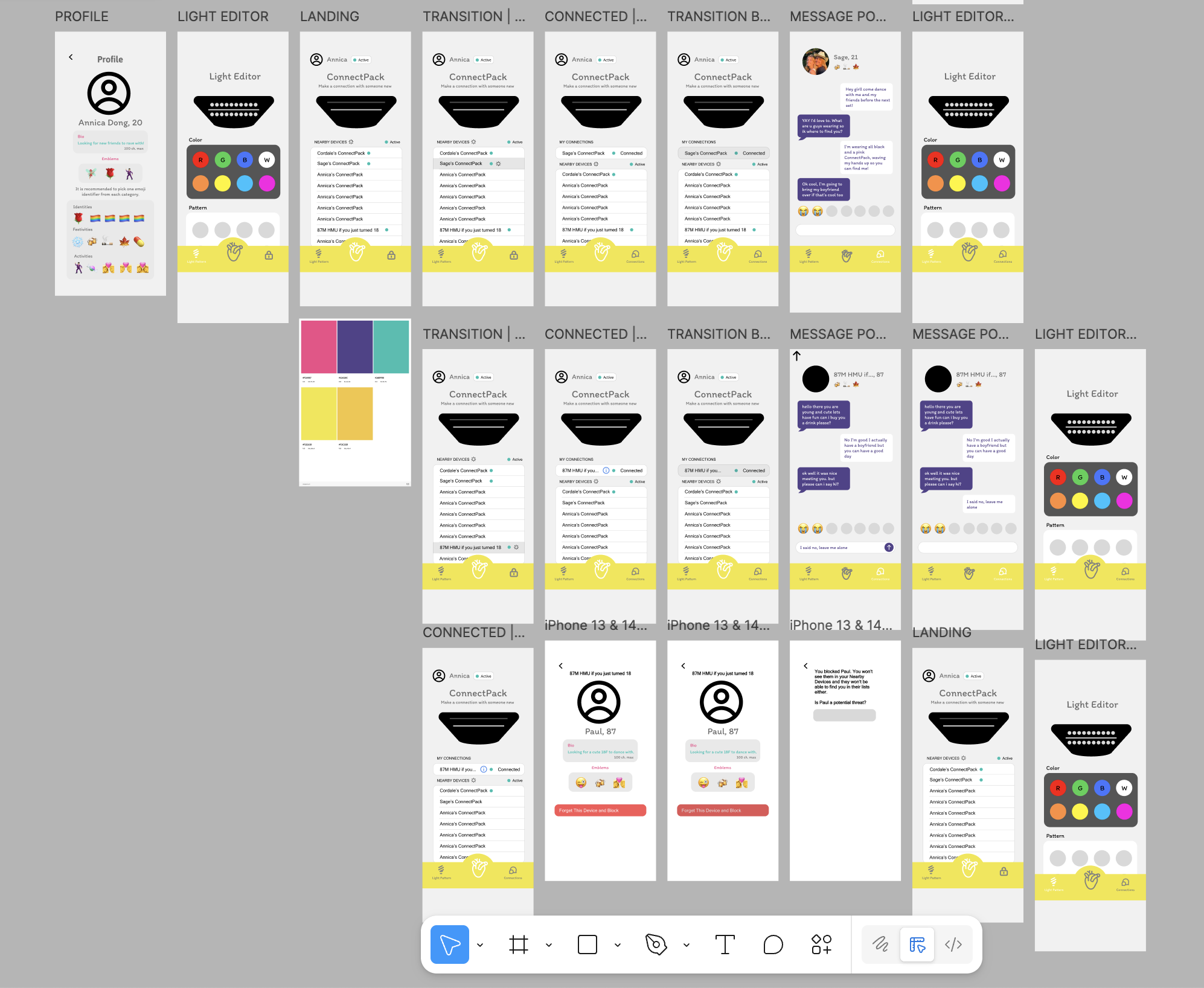
ConnectPack began as low-fidelity screens (left), which were guided by current UI design patterns. Anything that wasn’t already an existing pattern was omitted, like the compass feature. Then, from there, I overlaid color and branding styles to the first iteration (right) and finalized high-fidelity screens, retaining the structure of the first iteration but changing the branding during the second iteration.
Customize your ConnectPack and View Others’ Profiles
ConnectPack users can view others’ ConnectPack profiles via a reimagined Bluetooth Connections interface. Profile pictures glow with the color the user has their ConnectPack light set to. You can adjust your own ConnectPack’s color via the Light Editor.


ConnectPack users can edit their name, username, and personal information (city, occupation, favorite artist, and bio) via the Profile page. Birthdays and zodiac signs are set in the onboarding process and cannot be changed.
Edit Your Profile Information


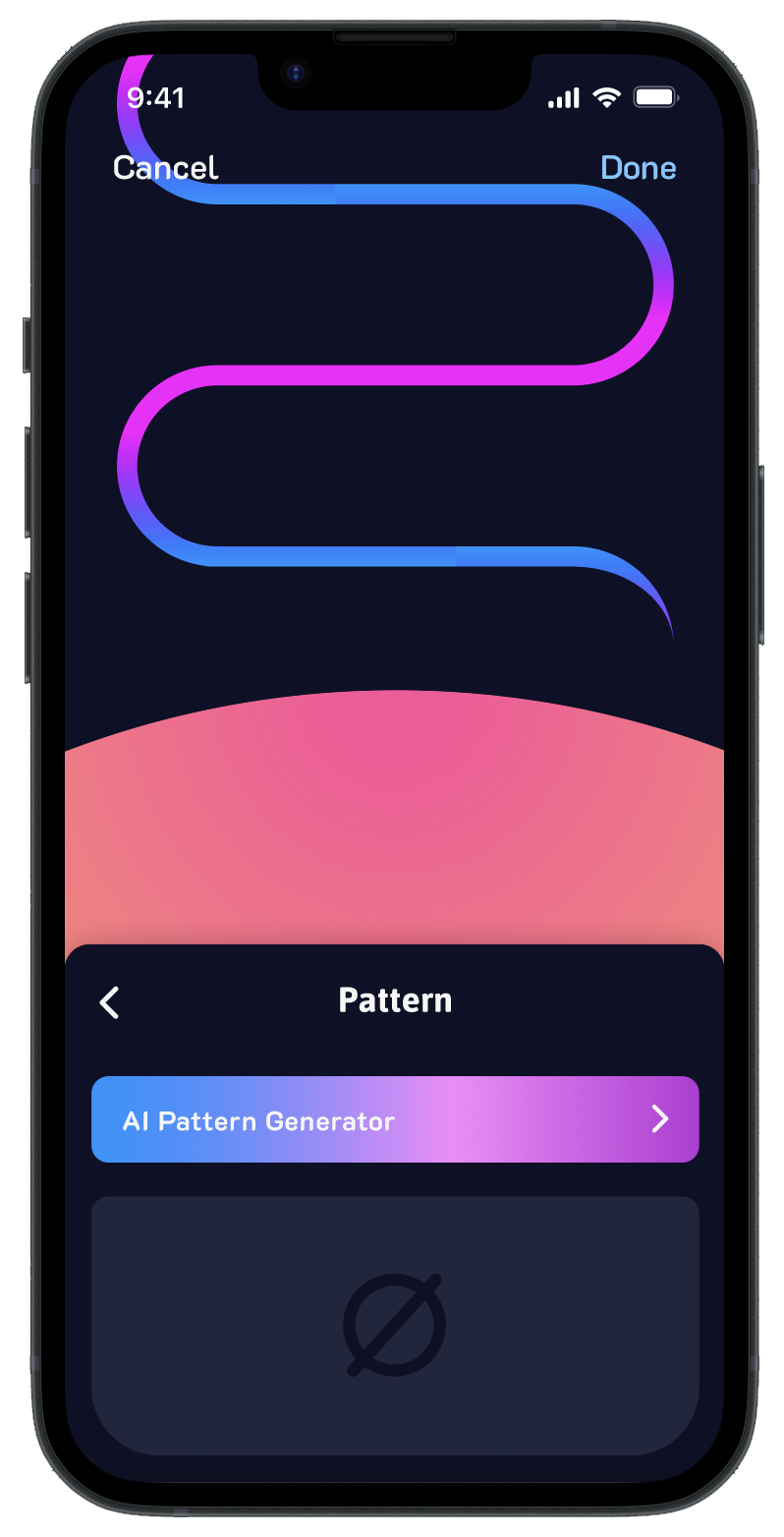
ConnectPack users can customize their home planet via the Profile page. Users can change their planet’s color, pattern, and orbit color. Patterns are powered by AI, which can generate endless patterns depending on what the user inputs as the prompt. How a user customizes their home planet will be displayed in the connections feed.
Customize Your Home Planet

Customize Your Emoji Emblems
Emoji Emblems are critical to display a ConnectPack user’s interests. Users must select 3 emblems. Emblems show up in the connections feed next to a user’s profile. Emblems are taken into consideration when filtering a user’s feed.


Connect with Other ConnectPack Wearers
When a ConnectPack user taps on another user’s profile, the profile expands and the message portal is unlocked. Profiles display a user’s profile picture, name, age, emoji emblems, and information on their home planet. Users can swipe on the planet to reveal the user’s personal information. The message portal is an opportunity for users to connect briefly online and direct focus on connecting in person.


If a connection is incompatible, then the user has the option to either Disconnect or Block a user. This page can be accessed via the Information symbol on the second page of the user’s planet information or the top right of the message portal. This page displays a user’s name, ConnectPack name, and the Disconnect/Block buttons. It is the one page that resembles Apple’s Bluetooth Connections interface, to remind users that the profiles they are connecting with happen via a Bluetooth connection.
Block Users

